How To Install Cherrytree on popos
{{postValue.id}}
To Install Cherrytree on popos
Cherrytree is a lightweight text editor. It&rsquo s used for image handling, password protection etc. It stores data as a single XML or SQLite file. It also provides a feature to copy/paste the hyperlinks from the other apps.
Installation
Download package of Cherry tree
root@linuxherlp:~# wget http://www.giuspen.com/software/cherrytree\_0.37.6-1\_all.deb \--2018-06-26 16:38:07--  http://www.giuspen.com/software/cherrytree\_0.37.6-1\_all.deb
Resolving www.giuspen.com (www.giuspen.com)... 89.40.172.66
Connecting to www.giuspen.com (www.giuspen.com)|89.40.172.66|:80... connected.
HTTP request sent, awaiting response... 200 OK
Length: 654480 (639K) \[application/x-debian-package\]
Saving to: &lsquo cherrytree\_0.37.6-1\_all.deb&rsquo
cherrytree\_0.37.6-1\_all.deb  100%\[============================================> \] 639.14K  --.-KB/s    in 0.06s
2018-06-26 16:38:17 (10.3 MB/s) - &lsquo cherrytree\_0.37.6-1\_all.deb&rsquo  saved \[654480/654480\]
Install GDEBI
root@linuxhelp:~# apt-get install gdebi -y
Reading package lists... Done
Building dependency tree
Reading state information... Done


The following additional packages will be installed:


  gdebi-core gnome-icon-theme python3-debian


The following NEW packages will be installed:


  gdebi gdebi-core gnome-icon-theme python3-debian
0 upgraded, 4 newly installed, 0 to remove and 205 not upgraded.
Need to get 9,824 kB of archives.
After this operation, 16.9 MB of additional disk space will be used.
Get:1 http://us.archive.ubuntu.com/ubuntu artful/main amd64 python3-debian all 0.1.30 \[65.3 kB\]
Get:2 http://us.archive.ubuntu.com/ubuntu artful/universe amd64 gdebi-core all 0.9.5.7+nmu1ubuntu3 \[117 kB\]
Get:3 http://us.archive.ubuntu.com/ubuntu artful/universe amd64 gnome-icon-theme all 3.12.0-2 \[9,618 kB\]
Get:4 http://us.archive.ubuntu.com/ubuntu artful/universe amd64 gdebi all 0.9.5.7+nmu1ubuntu3 \[23.7 kB\]
Fetched 9,824 kB in 33s (292 kB/s)
.
.
.
Processing triggers for man-db (2.7.6.1-2) ...
Processing triggers for gnome-menus (3.13.3-6ubuntu5) ...
Setting up python3-debian (0.1.30) ...
Setting up gdebi-core (0.9.5.7+nmu1ubuntu3) ...
Setting up gdebi (0.9.5.7+nmu1ubuntu3) ...
Install Cherrytree
root@linuxhelp:~# gdebi cherrytree\_0.37.6-1\_all.deb
Reading package lists... Done
Building dependency tree
Reading state information... Done
Reading state information... Done
Requires the installation of the following packages: libappindicator1 libdbusmenu-gtk4 libgtksourceview2.0-0
libgtksourceview2.0-common libindicator7 p7zip p7zip-full python-appindicator python-chardet python-enchant python-gobject
python-gtksourceview2
hierarchical note taking application
 CherryTree is a hierarchical note taking application, featuring rich text,
 syntax highlighting, images handling, hyperlinks, import/export with support
 for multiple formats, support for multiple languages, and more.
Do you want to install the software package? \[y/N\]:y
Get:1 http://us.archive.ubuntu.com/ubuntu artful/main amd64 libdbusmenu-gtk4 amd64 16.04.1+17.04.20170109.1-0ubuntu1
\[26.6 kB\]
Get:2 http://us.archive.ubuntu.com/ubuntu artful/main amd64 libindicator7 amd64 16.10.0+16.10.20160913-0ubuntu1 \[21.9 kB\]
Get:3 http://us.archive.ubuntu.com/ubuntu artful/main amd64 libappindicator1 amd64 12.10.1+17.04.20170215-0ubuntu2 \[19.2
kB\]
.
.
.
Processing triggers for hicolor-icon-theme (0.17-1) ...
Processing triggers for gnome-menus (3.13.3-6ubuntu5) ...
Processing triggers for desktop-file-utils (0.23-1ubuntu3) ...
Processing triggers for mime-support (3.60ubuntu1) ...
Once the application is installed you can access it from the menu as follows
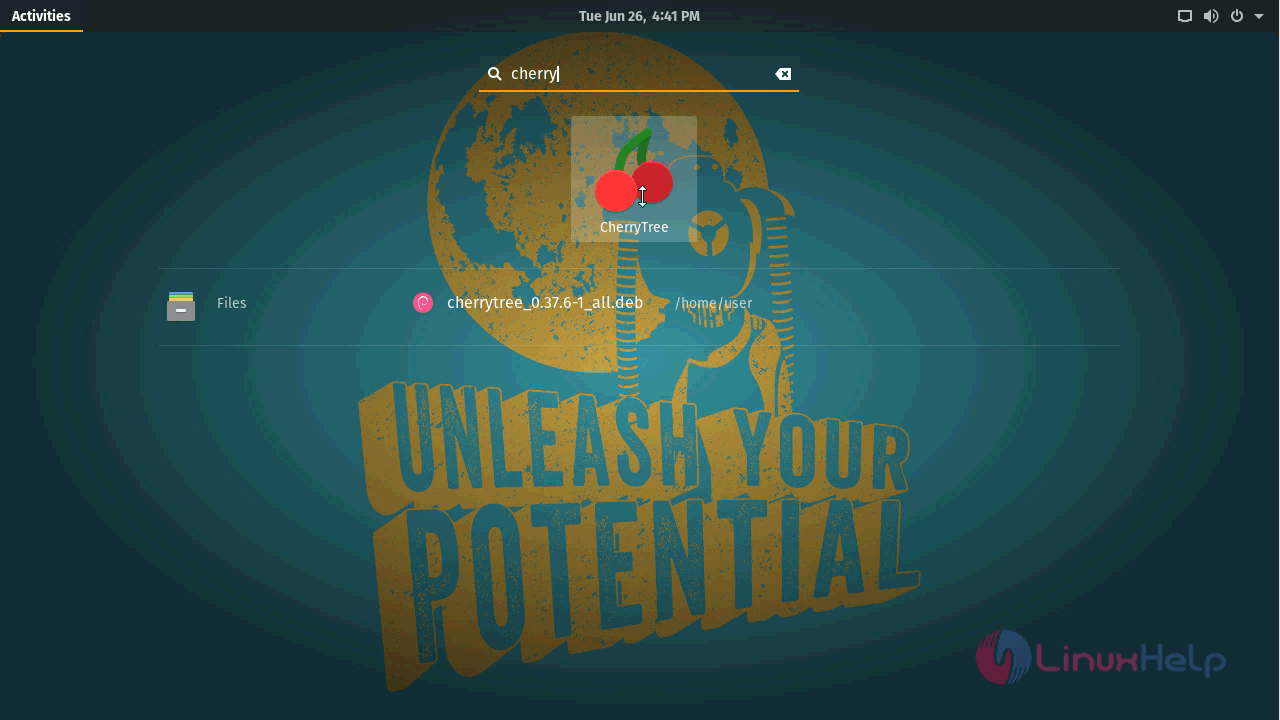
Cherrytree application.
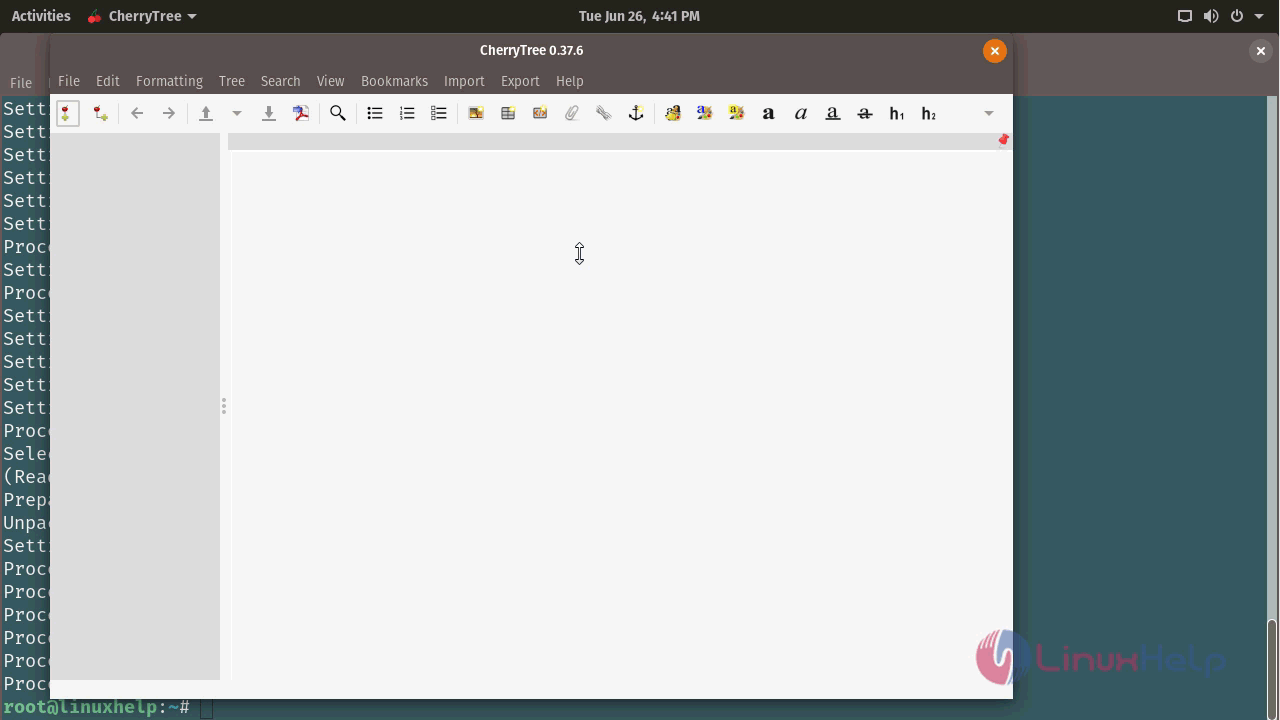
With this, the method to Install Cherrytree on popos comes to an end.
Comments ( 0 )
No comments available